Multi-function indicators
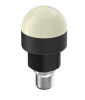
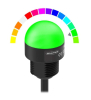
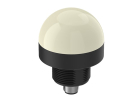
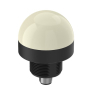
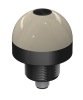
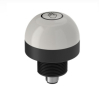
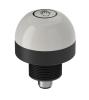
A multifunctional indicator shows the status directly at the location where the operator reacts: at a stack, a mounting fixture, or an operator panel. It can share one compact body with multiple information. The offer includes EMAS and Banner products. However, the term multifunctional does not mean that each item has multiple colors, acoustics, buttons, or data communication.
A different arrangement may be appropriate for visibility over a larger machine; total selection described Signalling beaconsHere, focus on the link between the indication and the specific job space.
What the product displays and what it actually controls
A clean indicator with control inputs accepts commands from the control system. It does not measure the process status. PNP or NPN in its specification typically describes the compatible method of activation, not an automatic signal output from the sensor. If the device also has a button or sensing function, this must be explicitly stated for the selected variant.
As a specific example, Banner states for: K30LGRYPQ power supply 10–30 V DC, three colors, PNP inputs, M12 connector, and M22 × 1.5 mounting bolt. These details apply to this model. Do not use the body size number as the mounting opening dimension.
Pick-to-light: light challenge and operator confirmation
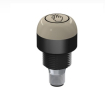
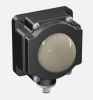
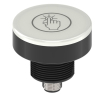
In this category there are also elements that record operator interference in addition to light information. K30APT2GREQ It uses a capacity touch. K50APFF100GREQ On the other hand, there is an optical sensor with a fixed sensing field. It is therefore not two interchangeable ways of connecting the ordinary indicator light.
For the assembly process, determine what needs to be confirmed: button press, hand entry into the area, or actual presence of the correct part. Hand confirmation alone does not prove the correct number or identity of the removed components. The request for product inspection must have corresponding individual evaluation.
Electrical and mechanical selection control
- Compare the power range with the source and the cable drop. Nominal 24 In the switchboard it does not check the voltage of the indicator under load.
- Verify PNP or NPN variant and joint wire connection. Check the enabled voltage, current and state of output on shutdown.
- For the connector, compare the number of pins, assignment of functions and a suitable counterpart. The corresponding M12 marking is not sufficient to confirm the connection.
- Check thread, panel thickness, matrix space and cable. The holder or foot may be a separate item.
- Find out how the device responds to the confluence of the inputs. The number of colors is not a promise of their current display.
The difference between compact multi-colour surface and other designs distributes categories Beacons more colorful and multifunctional EMASFor a view along the longer edges of the workplace can also be considered Profile LED Beacon.
Model example: information at the container
The model station displays three events: ready stack, request for addition, and confirmation error. The designer first assigns meaning to each state and determines priority. Then selects an indicator with dented inputs for the PLC output used. During testing, it does not only check individual colors but also the simultaneous occurrence of two commands and return after power failure.
The installation is assessed from the usual position of the eyes and hands of the worker. The indicator must not cover the stack or the hand during manipulation. If there are multiple stations next to each other, it must be clear which one is currently glowing. This is an additional requirement besides electrical functionality.
Common questions and restrictions
Does the PNP in the catalogue mean the output of the indicator?
Not necessarily. For a display item it can indicate its control. Check the signal direction in the diagram; do not connect two active outputs against each other only according to the same abbreviation.
Is it possible to view the indicator as a button by shape?
No. The round light head may not provide any confirmation control. The button, sensor and pure display options may have a similar look but other connections.
Does the light confirm a safe state?
The simple illumination informs about the issued command. A regular indicator does not automatically represent a safety function. Covering or the number of colors do not replace the necessary properties for personal protection.